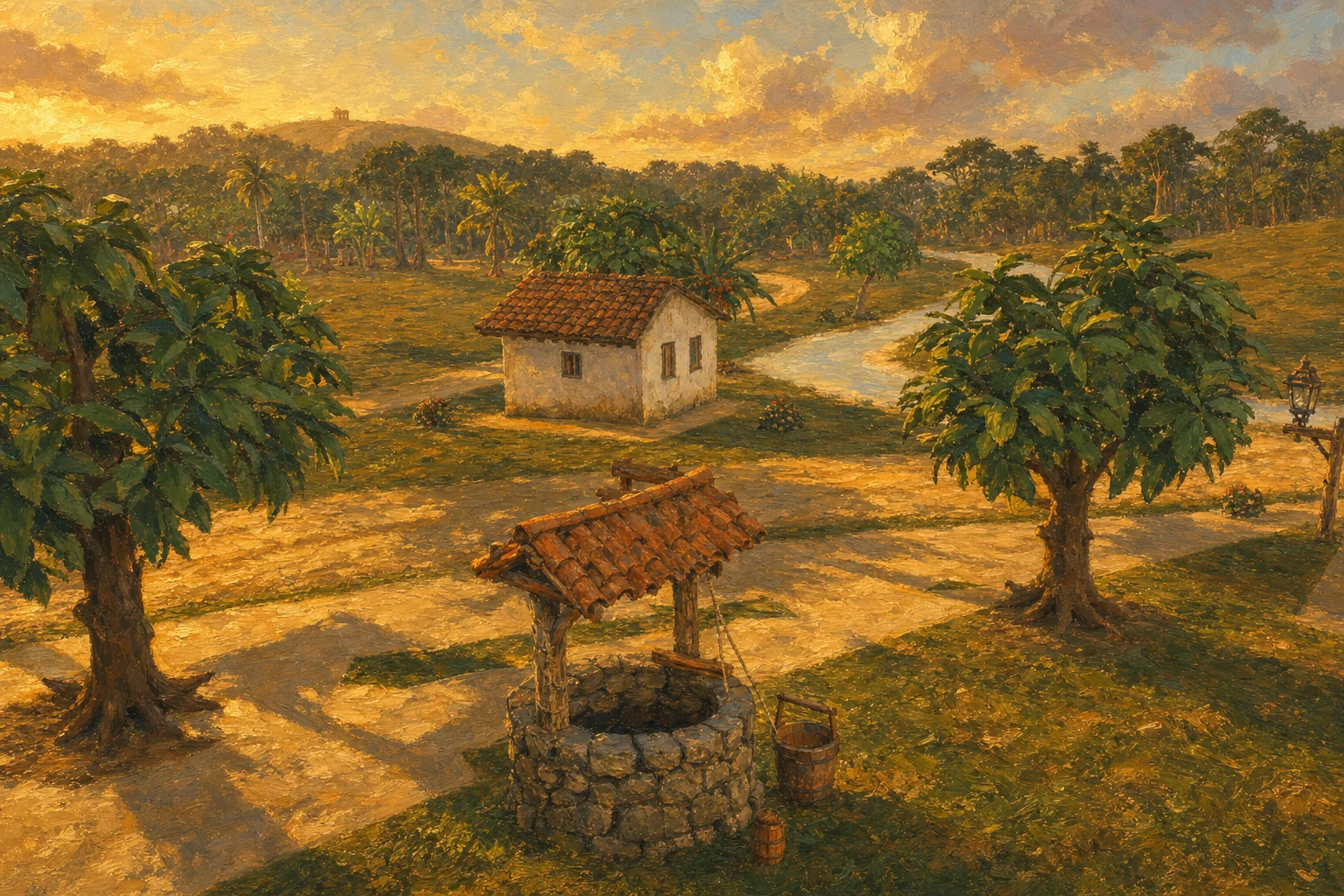
You arrive by sailboat, Pedro is waiting on the pier and the whole village already knows who you are. The rest you learn by walking around, and this page helps with the first hours.
Load the playground to walk, run, jump and try the traveler’s gestures with the keyboard.
Loading the traveler…
The 3D scene loads only when you click the button.
Playground controls
Walk
WASD
Run
Shift
Jump
Storage
Look around
Drag in the frame
Reset
R
Pause
Esc
Idle
0 · Automatic
Greet
1
Agree
2
Look around
3
Wave
4
Fold arms
5
React in fear
6
Axe swing
7
Swim
8
Use the number keys to try gestures. Walking or jumping returns to movement. Progress is not saved.
17 commands
Moving and looking and acting
WASD↑←↓→
Relative to the camera; also cancels auto-walk. SETTINGS → General chooses WASD, arrow keys or both. W, A, S and D can't be rebound, because they walk and select inside the screens.
Moving and looking
Move
Moving and looking
WASD↑←↓→
Relative to the camera; also cancels auto-walk. SETTINGS → General chooses WASD, arrow keys or both. W, A, S and D can't be rebound, because they walk and select inside the screens.
Shift
One press toggles running; it switches off when the character stops and consumes stamina. While swimming, Shift makes you swim faster.
Moving and looking
Run
Moving and looking
Shift
One press toggles running; it switches off when the character stops and consumes stamina. While swimming, Shift makes you swim faster.
Space
Jumps from the ground.
Moving and looking
Jump
Moving and looking
Space
Jumps from the ground.
Mouse
Free: turn the camera without clicking. Drag: turn it while holding the button. Automatic: the camera follows the path and steers around obstacles, and clicking and manual dragging still work. The mode the game opens in is set under SETTINGS → General → Mouse camera.
Moving and looking
Look
Moving and looking
Mouse
Free: turn the camera without clicking. Drag: turn it while holding the button. Automatic: the camera follows the path and steers around obstacles, and clicking and manual dragging still work. The mode the game opens in is set under SETTINGS → General → Mouse camera.
TabC
Cycles through the three camera modes, Free, Drag and Automatic, and remembers the choice. Tab is fixed; the letter (C) can be rebound.
Moving and looking
Toggle camera
Moving and looking
TabC
Cycles through the three camera modes, Free, Drag and Automatic, and remembers the choice. Tab is fixed; the letter (C) can be rebound.
Ctrl + scroll wheel+-
Third-person camera zoom (it opens pulled back and reacts to obstacles; the water surface blocks the camera arm).
Moving and looking
Zoom in or out
Moving and looking
Ctrl + scroll wheel+-
Third-person camera zoom (it opens pulled back and reacts to obstacles; the water surface blocks the camera arm).
F
Looks at the character from the front; press again to return.
Moving and looking
Look
Moving and looking
F
Looks at the character from the front; press again to return.
Right click
Walks to the ground, house or villager pointed at; double click runs.
Moving and looking
Walk to point
Moving and looking
Right click
Walks to the ground, house or villager pointed at; double click runs.
Left click on the house
Opens the house's details in the bubble and the panel, even from a distance; outside the houses, closes them.
Moving and looking
House details
Moving and looking
Left click on the house
Opens the house's details in the bubble and the panel, even from a distance; outside the houses, closes them.
M
The valley seen from above: the player stops, the world goes on. M or Esc closes it. The minimap (a round compass that points to the focused quest) is turned on in SETTINGS.
Moving and looking
Map
Moving and looking
M
The valley seen from above: the player stops, the world goes on. M or Esc closes it. The minimap (a round compass that points to the focused quest) is turned on in SETTINGS.
E
Talk (and turn the dialogue pages), read, pick up, fish, work on a project, open a tree's record or a headstone's story. Near a creature, strike with the weapon in hand (or the meia-lua kick, empty-handed, for those who learned it); holding gives the heavy blow (or the sweep). It doesn't act while the body is frozen or behind an open screen.
Acting
Read / interact
Acting
E
Talk (and turn the dialogue pages), read, pick up, fish, work on a project, open a tree's record or a headstone's story. Near a creature, strike with the weapon in hand (or the meia-lua kick, empty-handed, for those who learned it); holding gives the heavy blow (or the sweep). It doesn't act while the body is frozen or behind an open screen.
V
Gets out of the creature's lunge, for those who learned capoeira from Cosme.
Acting
Ginga (dodge)
Acting
V
Gets out of the creature's lunge, for those who learned capoeira from Cosme.
1234567890
Puts the item in that bar slot in your hand (0 is the tenth). The bar doesn't listen while the valley is paused or behind a screen.
Acting
Hand bar
Acting
1234567890
Puts the item in that bar slot in your hand (0 is the tenth). The bar doesn't listen while the valley is paused or behind a screen.
Scroll wheel
Switches the hand to the next slot (down) or the previous one (up), as in the 2D.
Acting
Switch hand
Acting
Scroll wheel
Switches the hand to the next slot (down) or the previous one (up), as in the 2D.
Alt+1Alt+2Alt+3Alt+4Alt+5Alt+6Alt+7Alt+8
Greeting, goodbye, nod, look around, fear, crossed arms, strike, swim. A gesture ends on its own and returns to idle; starting to walk interrupts it.
Acting
Gestures
Acting
Alt+1Alt+2Alt+3Alt+4Alt+5Alt+6Alt+7Alt+8
Greeting, goodbye, nod, look around, fear, crossed arms, strike, swim. A gesture ends on its own and returns to idle; starting to walk interrupts it.
T
Moves the valley clock forward one hour.
Acting
Advance the hour
Acting
T
Moves the valley clock forward one hour.
R
Returns to the starting point.
Acting
Restart
Acting
R
Returns to the starting point.
1 / 3
11 commands
Screens and system
I
Opens and closes the backpack (see screens).
Screens
Backpack
Screens
I
Opens and closes the backpack (see screens).
J
Opens and closes the panel for quests, letters, selling, stove, workbench, projects and game (see screens).
Screens
Panel
Screens
J
Opens and closes the panel for quests, letters, selling, stove, workbench, projects and game (see screens).
K
Opens and closes the web of talents (see screens).
Screens
Skill tree
Screens
K
Opens and closes the web of talents (see screens).
L
Opens and closes the almanac: plants, cordels, signs and creatures (see screens).
Screens
Almanac
Screens
L
Opens and closes the almanac: plants, cordels, signs and creatures (see screens).
P
Opens and closes the village's social web (see screens).
Screens
The village
Screens
P
Opens and closes the village's social web (see screens).
B
Opens the list of support cards and active talents. The arrows select; Enter, E or a click uses the selected one, once a day, and opening the list costs nothing. Esc closes it.
Screens
Support cards and active talents
Screens
B
Opens the list of support cards and active talents. The arrows select; Enter, E or a click uses the selected one, once a day, and opening the list costs nothing. Esc closes it.
Arrow keys or WASDFEEnterEsc
In the backpack: arrow keys or WASD select, F wears or eats what's under the cursor, E picks up and drops to rearrange; with the mouse, dragging rearranges and a second click wears or eats. In list panels (quests, building projects, workshop, cooking, store, saveiro, slots and game): ↑↓ select, ←→ or Tab switch tabs and Enter confirms, like E. The screen's own key or Esc closes it.
Screens
Inside the screens
Screens
Arrow keys or WASDFEEnterEsc
In the backpack: arrow keys or WASD select, F wears or eats what's under the cursor, E picks up and drops to rearrange; with the mouse, dragging rearranges and a second click wears or eats. In list panels (quests, building projects, workshop, cooking, store, saveiro, slots and game): ↑↓ select, ←→ or Tab switch tabs and Enter confirms, like E. The screen's own key or Esc closes it.
EEscAD
The dialogue opened with E, or a quest's, sits in a speech bubble in the corner of the screen: E turns the pages one by one and closes it on the last; Esc closes it from any page. What must be read before moving on (a pact's conversation) opens in a speech box and the valley pauses; in a question, A picks Yes, D picks No and E confirms (Esc is always No); without a choice, E does not answer. In the crossing, Enter, E or Space advance and Esc skips.
Screens
Long speeches and questions
Screens
EEscAD
The dialogue opened with E, or a quest's, sits in a speech bubble in the corner of the screen: E turns the pages one by one and closes it on the last; Esc closes it from any page. What must be read before moving on (a pact's conversation) opens in a speech box and the valley pauses; in a question, A picks Yes, D picks No and E confirms (Esc is always No); without a choice, E does not answer. In the crossing, Enter, E or Space advance and Esc skips.
Esc
Frees the cursor and opens the game menu; it also closes any open screen and the dialogue in progress, from any page (in a question, Esc is always No).
System
Game menu
System
Esc
Frees the cursor and opens the game menu; it also closes any open screen and the dialogue in progress, from any page (in a question, Esc is always No).
HOME button
The house icon in the column of round buttons in the top-right corner, below sound and clock; the game saves first.
System
Back to the main menu
System
HOME button
The house icon in the column of round buttons in the top-right corner, below sound and clock; the game saves first.
Alt+F4Close the window
The game saves before closing.
System
Quit
System
Alt+F4Close the window
The game saves before closing.
1 / 2
One key for each notebook
Backpack, panel, web, almanac and village
The 30 slots (the first 10 are the hand bar) on the left and what the body wears on the right, including the Hands slot for machete and tools. The item icons are those of the 2D game, borrowed for the interface.
I
Backpack
I
The 30 slots (the first 10 are the hand bar) on the left and what the body wears on the right, including the Hands slot for machete and tools. The item icons are those of the 2D game, borrowed for the interface.
Quests (the valley notebook, with one progress line per quest), letters and pacts and, near the right place, the counter of the Venda do Bar (buy and sell at prices that change with the season), the stove at the yard campfire, the workshop bench and the building projects next to it; through the GAME button, save, return to the menu and quit. With the panel open the clock and the player stop.
J
Panel
J
Quests (the valley notebook, with one progress line per quest), letters and pacts and, near the right place, the counter of the Venda do Bar (buy and sell at prices that change with the season), the stove at the yard campfire, the workshop bench and the building projects next to it; through the GAME button, save, return to the menu and quit. With the panel open the clock and the player stop.
The web of talents, 37 nodes in roots such as Earth, Water, Woods, Fire, Herding, Combat, Trade, Building, Sociability and Attributes, where you spend the points the valley gives; a locked talent is dimmed. 2D icons until there's art of its own.
K
Skill tree
K
The web of talents, 37 nodes in roots such as Earth, Water, Woods, Fire, Herding, Combat, Trade, Building, Sociability and Attributes, where you spend the points the valley gives; a locked talent is dimmed. 2D icons until there's art of its own.
A notebook of your discoveries: 26 species with entries, ten cordels, signs, creatures and recipes. Collections and chapbooks can be reread; each group shows how many species remain to be discovered.
L
Almanac
L
A notebook of your discoveries: 26 species with entries, ten cordels, signs, creatures and recipes. Collections and chapbooks can be reread; each group shows how many species remain to be discovered.
Who lives in the valley and how much each one likes you: a portrait of each of the 22 villagers, the friendship bar and the gifts drawn, with their tastes hidden until "Good folk".
P
The village
P
Who lives in the valley and how much each one likes you: a portrait of each of the 22 villagers, the friendship bar and the gifts drawn, with their tastes hidden until "Good folk".
A valley map with zoom, markers and land boundaries (for sale, someone else's or yours). The minimap uses a static photograph as its background, keeping the player and objective in motion to reduce rendering costs.
M
Valley map
M
A valley map with zoom, markers and land boundaries (for sale, someone else's or yours). The minimap uses a static photograph as its background, keeping the player and objective in motion to reduce rendering costs.
Back to the valley, map, settings, controls, save, sound, clock, time speed, mouse camera, back to the main menu and quit.
Esc
Game menu
Esc
Back to the valley, map, settings, controls, save, sound, clock, time speed, mouse camera, back to the main menu and quit.
A tree's record (one per species in each block), a headstone's story in the left panel, a found cordel on the chapbook paper; E, Esc or a click puts it away.
Enearby
Records and papers
Enearby
A tree's record (one per species in each block), a headstone's story in the left panel, a found cordel on the chapbook paper; E, Esc or a click puts it away.
Time, period and three reserves: health for damage, stamina for actions and running, breath for swimming. Shows the tracked quest, an arrow around the player and the target on the minimap, villagers' names and speech bubbles, and the interaction key hint for a single target ahead. Dialogue appears in the corner and notices at the foot of the screen.
—
HUD
—
Time, period and three reserves: health for damage, stamina for actions and running, breath for swimming. Shows the tracked quest, an arrow around the player and the target on the minimap, villagers' names and speech bubbles, and the interaction key hint for a single target ahead. Dialogue appears in the corner and notices at the foot of the screen.
Anyone who collapses wakes at the Wattle-and-daub house door at 6 a.m. the next day: in the dark, the card shows the day, season, stamina and scheduled events (E skips the wait); as dawn breaks, someone explains what happened in the dialogue box.
—
Dawn card
—
Anyone who collapses wakes at the Wattle-and-daub house door at 6 a.m. the next day: in the dark, the card shows the day, season, stamina and scheduled events (E skips the wait); as dawn breaks, someone explains what happened in the dialogue box.
1 / 2
With Pedro
16 steps from the pier to the field
Leave the saveiro and speak to Pedro
1 · Legs on solid ground
Leave the saveiro and speak to Pedro (E)
Run over there (Shift), a stretch
2 · A newcomer's haste
Run over there (Shift), a stretch
Greet Tonho, whom Pedro introduces
3 · A newcomer says hello
Greet Tonho, whom Pedro introduces
Follow Pedro to Dona Candinha and ask about the key
4 · Who kept the key
Follow Pedro to Dona Candinha and ask about the key
Follow Pedro to Dona Zefa and collect the key
5 · The key with Dona Zefa
Follow Pedro to Dona Zefa and collect the key
Open your uncle's house and enter
6 · The door no one opened
Open your uncle's house and enter
Take the hoe, bucket and manioc cutting from the chest
7 · The late man's tools
Take the hoe, bucket and manioc cutting from the chest
Press J and see what is open
8 · The list of open tasks
Press J and see what is open
Till, plant and water a furrow
9 · The late uncle's field
Till, plant and water a furrow
Break dry branches for the house fire
10 · Fire in the closed house
Break dry branches for the house fire (E)
Gather stone to line the well
11 · The well's mouth
Gather stone to line the well
Twist a rope at the workbench
12 · New rope
Twist a rope at the workbench
Fix the well: [E] at the well or [J] › Works
13 · A mutirão at the well
Fix the well: [E] at the well or [J] › Works
Roast Tonho's fish at the campfire
14 · The first supper
Roast Tonho's fish at the campfire
Sleep in your uncle's bed
15 · The first night
Sleep in your uncle's bed
Read the invitation that arrived
16 · The unsigned paper
Read the invitation that arrived
1 / 3
From the notebook of those who have played
12 tips for the first hours
Leave the saveiro and speak to Pedro with E (in dialogue, E turns the pages). The arrival introduces Tonho, Dona Candinha and Dona Zefa before the house, the first field and the night.
Start with Pedro
Leave the saveiro and speak to Pedro with E (in dialogue, E turns the pages). The arrival introduces Tonho, Dona Candinha and Dona Zefa before the house, the first field and the night.
Look at the tide before you set off along the beach: at low tide the reef slabs and the puddles appear, and the canoes run aground; in SETTINGS → Scenery you can set the tide to Fast and watch a whole cycle in a minute and a half.
Watch the tide
Look at the tide before you set off along the beach: at low tide the reef slabs and the puddles appear, and the canoes run aground; in SETTINGS → Scenery you can set the tide to Fast and watch a whole cycle in a minute and a half.
T advances one hour. At dusk the lanterns, lamps and candles of 1887 light up — it's worth being on the Square or in the chapel yard to see it.
Advance the hour
T advances one hour. At dusk the lanterns, lamps and candles of 1887 light up — it's worth being on the Square or in the chapel yard to see it.
Stamina sustains work and running; breath sustains swimming. Eat and rest; SETTINGS → Effort lets you check the costs.
Recover stamina
Stamina sustains work and running; breath sustains swimming. Eat and rest; SETTINGS → Effort lets you check the costs.
Machete in hand before entering the deep woods: the peccary signals its lunge in amber and marks on the ground how far the bite reaches; V gingas you out of it if you learned capoeira from Cosme.
Enter the woods prepared
Machete in hand before entering the deep woods: the peccary signals its lunge in amber and marks on the ground how far the bite reaches; V gingas you out of it if you learned capoeira from Cosme.
Don't climb onto the cemetery slabs: Damião complains three times, and on the third he knocks you into the aisle.
Respect the cemetery
Don't climb onto the cemetery slabs: Damião complains three times, and on the third he knocks you into the aisle.
Forgotten cordels are on the store counter, in the old chapel, in the bar, in the cemetery, at the lookout and at the end of the pier: come close and press E to keep them in the almanac (L).
Collect the cordels
Forgotten cordels are on the store counter, in the old chapel, in the bar, in the cemetery, at the lookout and at the end of the pier: come close and press E to keep them in the almanac (L).
The fishing rod is bought at the Venda do Bar counter: the river gives trahira, the sea gives snook; when the "!" lights up, press E again, quickly.
Learn to fish
The fishing rod is bought at the Venda do Bar counter: the river gives trahira, the sea gives snook; when the "!" lights up, press E again, quickly.
Esc is always No in a pact question: read what the Caipora gives and what she asks in return before confirming with E.
Read before the pact
Esc is always No in a pact question: read what the Caipora gives and what she asks in return before confirming with E.
EXPLORE is the way to look at the valley with no strings attached: it uses no slot, doesn't save, and lets you change the hour and the tide at will.
Explore freely
EXPLORE is the way to look at the valley with no strings attached: it uses no slot, doesn't save, and lets you change the hour and the tide at will.
The E, F, T, R, M, C, V, J, K, L, P, I and B keys can be rebound in SETTINGS → Shortcuts; the HUD always shows the chosen letter.
Adjust the shortcuts
The E, F, T, R, M, C, V, J, K, L, P, I and B keys can be rebound in SETTINGS → Shortcuts; the HUD always shows the chosen letter.
The bridge, the field, the interiors, the yard and chapters 6 and 7, up to the Matinta, are already playable. The lagoon and the villagers' work on the plots remain in development.
Follow the development
The bridge, the field, the interiors, the yard and chapters 6 and 7, up to the Matinta, are already playable. The lagoon and the villagers' work on the plots remain in development.